Manual HIQ device controllers address
Download, unzip and run CybroIEXManager CyBroIexManager.
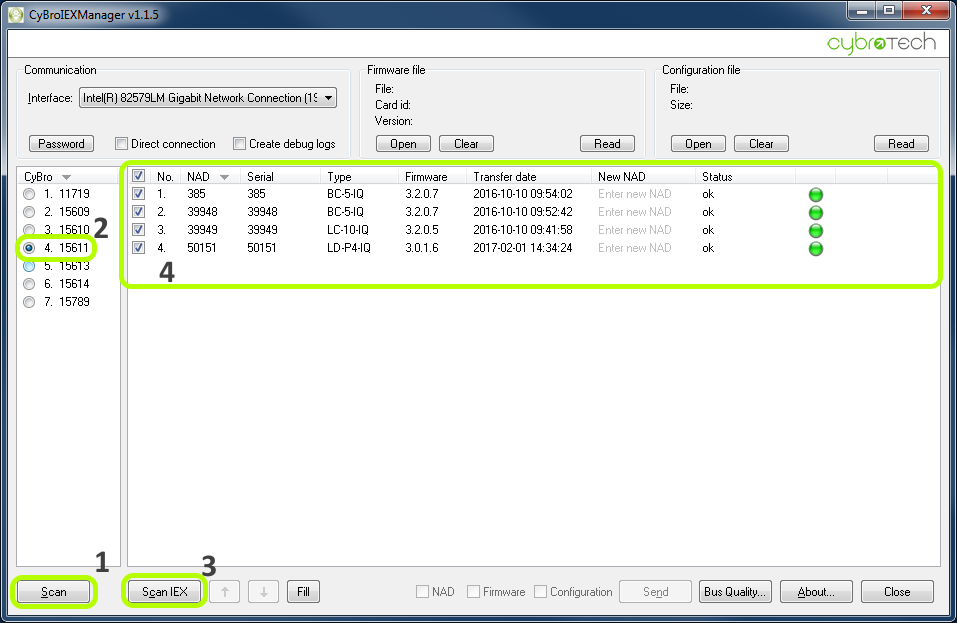
Pres “Scan” button [1] to discover all controllers in LAN. Select HC-IQ serial number on discovered controllers list [2] and press “Scan IEX” button [3]. All HIQ-DC should appear in main list-box [4].
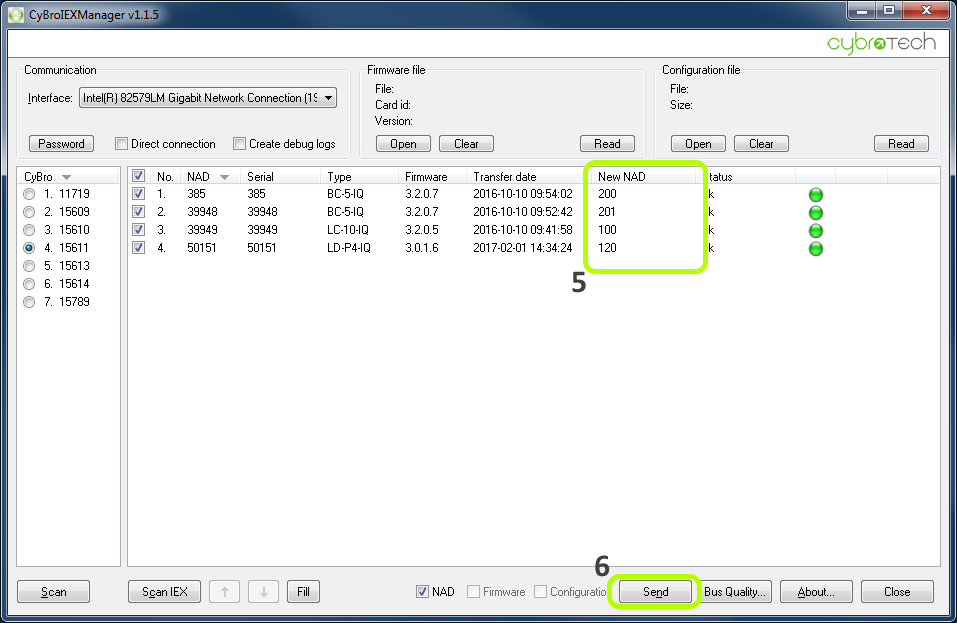
In “New NAD” column [5] enter NAD addresses as per following table:
| HIQ-DC | order | address |
|---|---|---|
| LC-10-IQ | 1st | 100 |
| 2nd | 101 | |
| 3rd | 102 | |
| 4th | 103 | |
| LD-X4-IQ* | 1st | 120 |
| 2nd | 121 | |
| 3rd | 122 | |
| 4th | 123 | |
| BC-5-IQ | 1st | 200 |
| 2nd | 201 | |
| SC-4X-IQ | 1st | 300 |
| 2nd | 301 | |
| 3rd | 302 | |
| 4th | 303 | |
| TH-X-IQ | 1st | 400 |
| 2nd | 401 | |
| 3rd | 402 | |
| 4th | 403 | |
| 5th | 404 | |
| FC-1-IQ | 1st | 420 |
| 2nd | 421 | |
| 3rd | 422 | |
| 4th | 423 | |
| 5th | 424 | |
* LD-D8-IQ is detected as two separate modules.
And press “Send” button [6].
Note: If we press “Autoaddress” then the manual address will be corrupted and must be repeated.