
en:access-iq:configurator
This is an old revision of the document!
Table of Contents
HIQ Access configurator
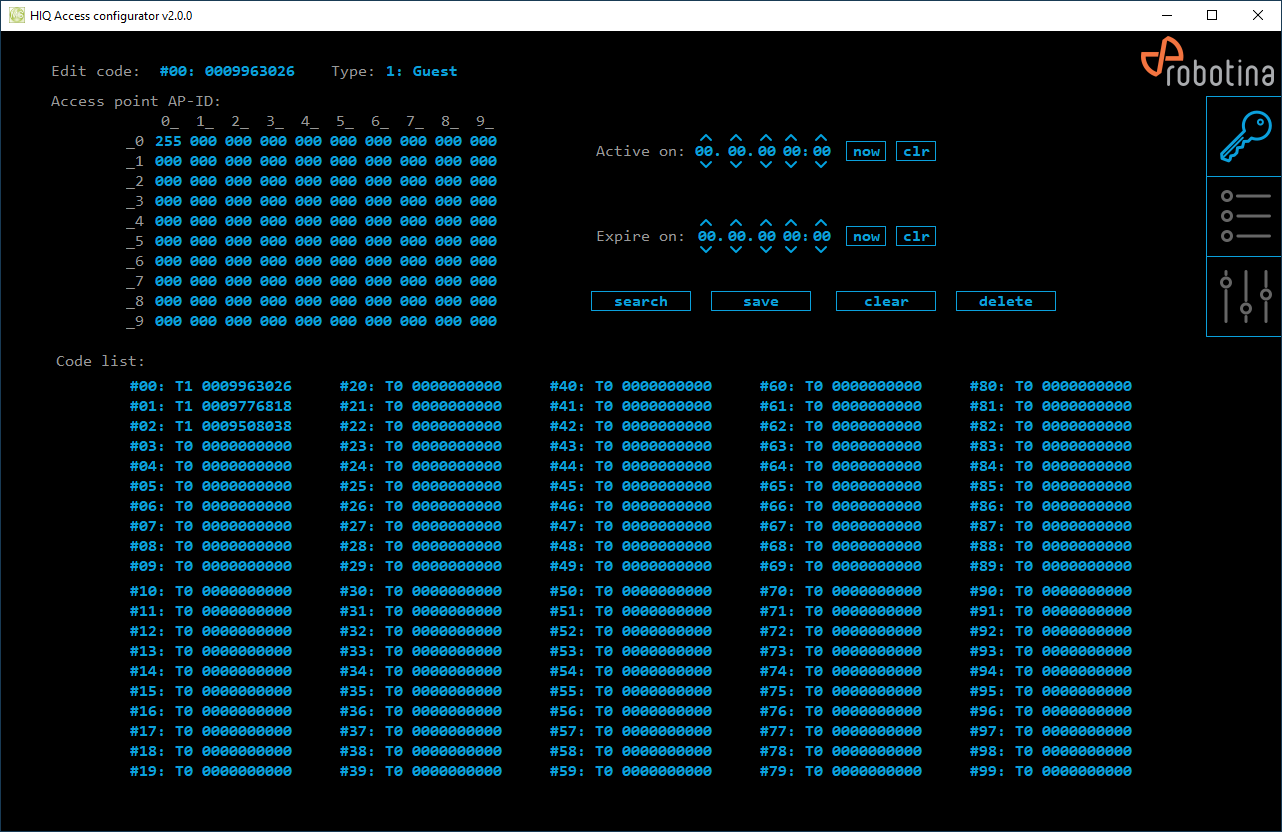
Codes management
| Edit code | Edited code, click to enter new code |
|---|---|
| Type | Edited code type, click to select desired type |
| Access points AP-ID | Access points rights for edited codes (0=no access, 255=unlimited passages, 1..245= limited passages count, decrements with every passage grant). |
| Active on | Active time for edited code, use arrows to increment/decrement values, click on value to directly enter value or use buttons [ now ] or [ clear ]. Enter all 0 for no expire. |
| Expire on | Expire time for edited code, use arrows to increment/decrement values, click on value to directly enter value or use buttons [ now ] or [ clear ]. Enter all 0 for no expire. |
| [ now ] | Set actual date / time for expire. |
| [ clr ] | Clear expire (code newer expire). |
| [ search ] | Search for edited code in code list. |
| [ save ] | Save edited code to list. |
| [ clear ] | Clear all edited code fields. |
| [ delete ] | Delete edited code from list. |
| Code list | Controller codes list. Click on code to edit it. |
Access events list
| date | event date |
|---|---|
| time | event time |
| event | event code |
| event data | event data |
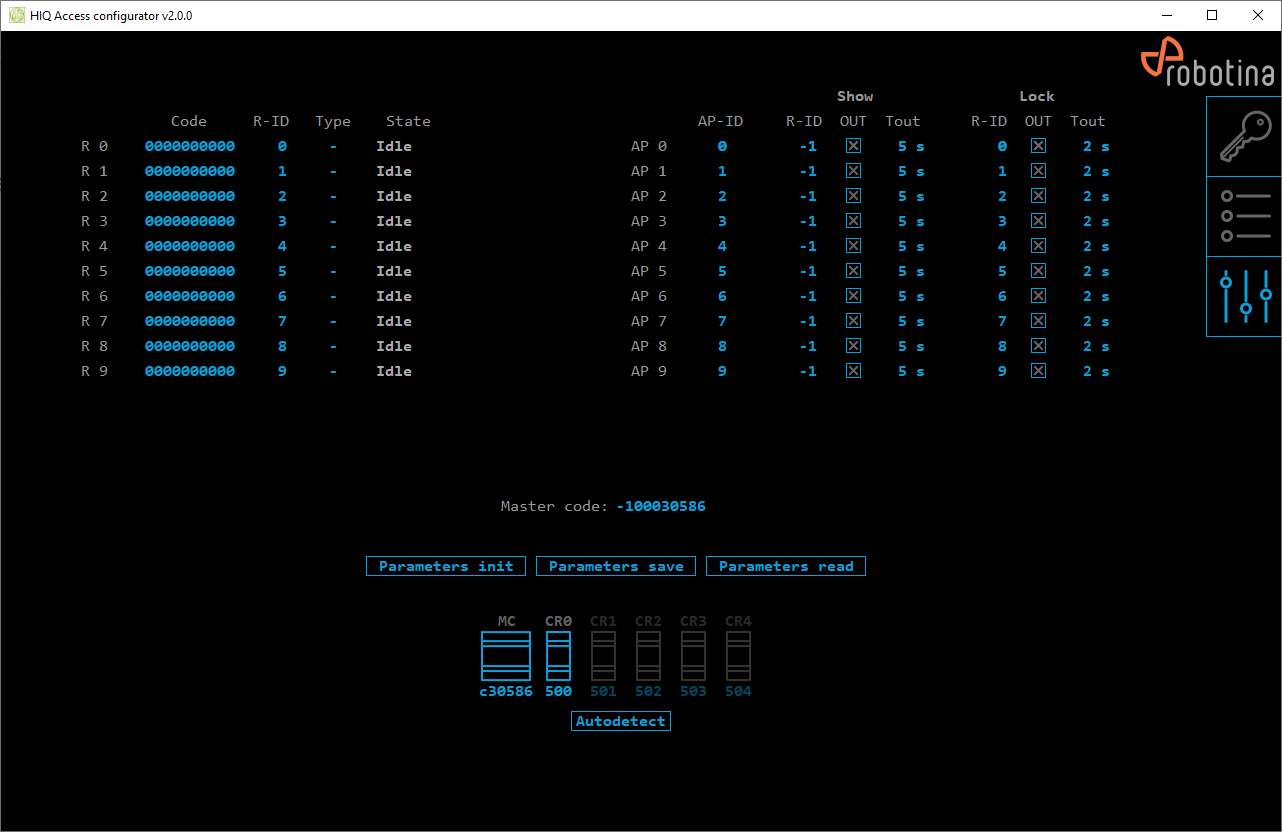
Access settings
| Code readers settings | |
|---|---|
| Code | Code read by reader, click for manual entry |
| R-ID | Reader ID; link reader to access point (“show” or lock) |
| Type | Access point type (- / Master ADD / Master All), click to toggle |
| State | State of access point. |
| Access points settings | |
| AP-ID | Access point ID; link to code rights |
| Show: R-ID | Link to reader ID; link to the reader for signaling the access point |
| Show: OUT | Show output (click to toggle) |
| Show: Tout | Show time-out |
| Lock: R-ID | Link to reader ID; link to the reader for unlocking the access point |
| Lock: OUT | Lock output (click to toggle) |
| Lock: Tout | Lock time-out |
| General settings | |
| Master code | Master code for auxiliary code management |
| [ Parameters init ] | Click to initialize all parameters to factory defaults |
| [ Parameters save ] | Click to save all parameters to permanent memory |
| [ Parameters read ] | Click to read all parameters from permanent memory |
| Access HW modules | Detected modules are displayed unmasked. |
| [ Autodetect ] | Press to find HIQ Access controller in local network. |
en/access-iq/configurator.1618904200.txt.gz · Last modified: by goran.kocjancic